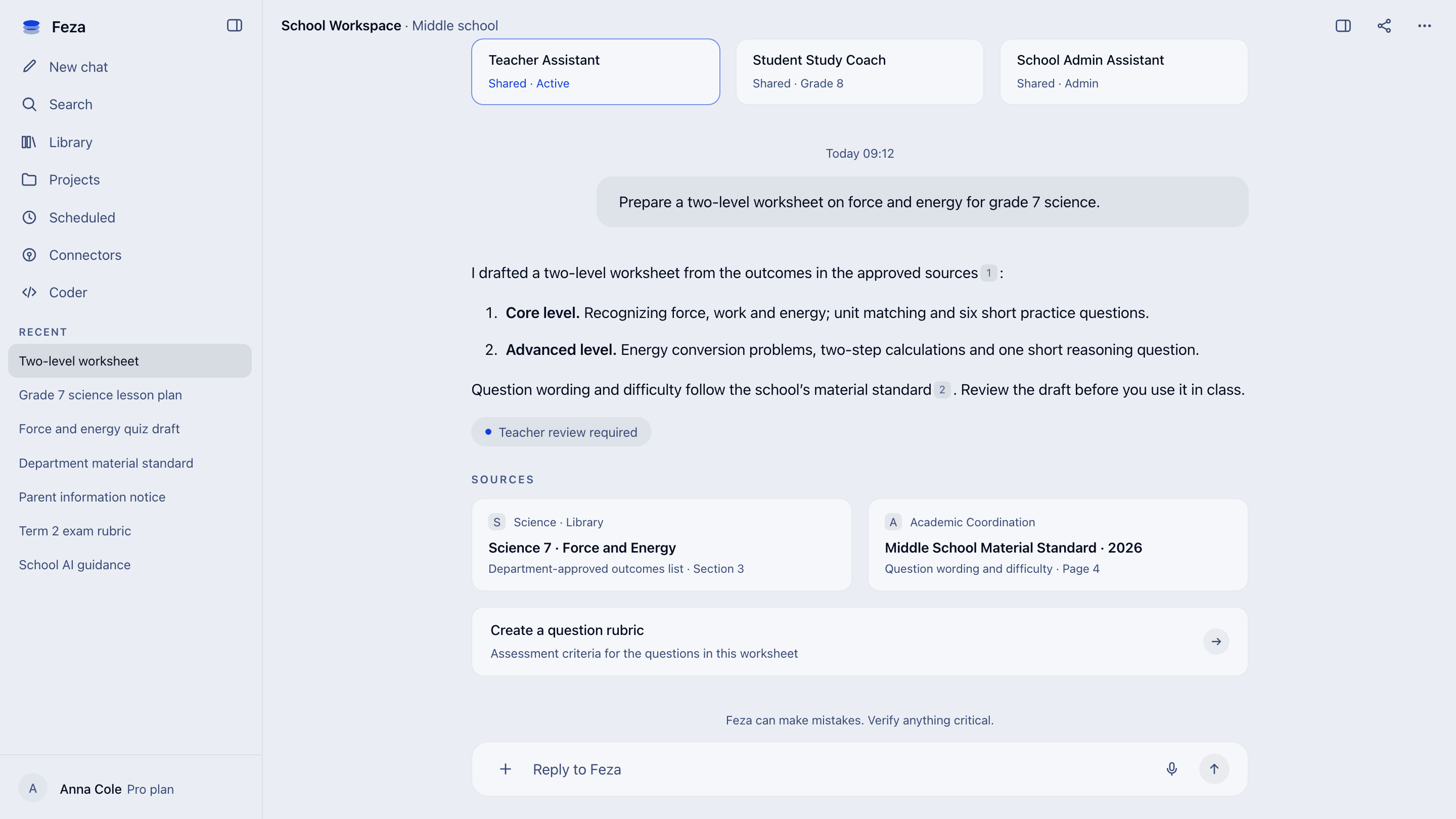
Teachers
Repeating the same preparation
Lesson plans, questions, rubrics and communications are repeatedly prepared in different tools.
For education
Teachers prepare. Students work with guidance. School leadership speeds up administration and manages use.
The school reality
Teachers
Lesson plans, questions, rubrics and communications are repeatedly prepared in different tools.
Students
General tools can finish an assignment, but do not always guide students to think and work with sources.
School leadership
It remains unclear who uses which tool and data, and who reviews generated content.
One workspace
Choose a role and see what it can do with Feza.
For teachers
01
Create lesson plans, activities and presentation drafts from approved sources.
02
Adapt the same content for different grades and learning levels.
03
Prepare outcome-aligned questions, answer keys and assessment criteria.
04
Draft rubric-based feedback for student work, then make the final call yourself.
05
Turn announcements and updates into drafts in your school’s voice.
06
Share strong materials, prompts and agents across your department.
For students
01
Understand each topic step by step through questions and hints on approved course sources.
02
Work on gaps with revision, quizzes and individual practice.
03
Structure your ideas, check sources and improve your own writing.
04
Explore notes, presentations and worksheets with explanations suited to your level.
For school leadership
01
Create clear usage guidance from official sources and school decisions.
02
Organize purpose, data, user, human-approval and risk information before declarations.
03
Apply role, access, data-protection and model policies across the school.
04
Get sourced, access-aware answers about regulations, procedures and the academic calendar.
05
Prepare announcements, reports, meeting summaries and event plans from school templates.
06
Monitor agents, workflows, pending approvals and work history.
How work flows
School control
Feza applies access controls, data policies and activity records from chat to automation across the whole workspace.
Department and role determine who can reach each document. Unauthorized content does not appear in search results.
DLP rules and model-route policies determine which content can go to which model on behalf of school leadership.
The source behind the answer, the action taken and the approval given are recorded together. They can be reviewed later.
Feza is designed to support GDPR-compliant processing, with persistent workspace data stored in the European Union.
Specialist technical staff by your school’s side throughout the rollout.
A shared channel for fast, uninterrupted communication.
Regular sessions designed to speed up teacher adoption.
Interactive sessions run with departments and leadership.
Workshop topics
No. Feza speeds up preparation, adaptation and drafting. Pedagogical decisions and final classroom content remain with the teacher.
Student assistants are configured around school-approved sources and instructions, using questions, hints, explanations and practice. The goal is study, not completing the work for the student.
No. Initial use can begin with teacher preparation or a school knowledge space without student data. Work involving student interaction and data is scoped separately.
Users can access only the content and tools authorized for their roles and teams. Data policies, human approvals and activity records apply in the same organizational workspace.
No. Feza helps prepare and record purpose, data, user, human-approval and risk information. Official declarations and final responsibility remain with the school’s authorized people.